
Transform Your Shopify Store with Professional Product Photography: What You Need to Know 2024

Shopify Product Photography
In today’s competitive e-commerce landscape, having a visually appealing online store is crucial for attracting and retaining customers. One aspect that can truly make a difference is the quality of your product photography. With the right Shopify product photography, you can transform the visual appeal of your online business and captivate potential buyers.
Professional product photography plays a significant role in building consumer trust and converting visitors into customers. High-quality product imagery not only showcases your products in the best possible light but also enhances your brand’s reputation and credibility. Whether you’re a small Shopify store owner or an established e-commerce business, investing in professional product photography can have a profound impact on your success.
In this article, we will explore the importance of professional product photography for your Shopify store and provide you with all the essential knowledge you need to create visually stunning product images. We will guide you through the process of building a budget-friendly DIY product photography studio, share best practices for capturing the best shots, and explain the significance of post-processing techniques. Additionally, we will highlight how Shopify’s built-in features can assist you in showcasing your product photos effectively.
—
Ready to transform your Shopify store with professional photography? At Products Photography UK, we specialise in creating high-converting product images for Shopify sellers across the UK. From our Walsall studio, we’ve helped dozens of online retailers boost their sales with professional product photography.
Get Your Custom Quote | View Our Packages
—
Key Takeaways:
• High-quality product photography is crucial for transforming the visual appeal of your Shopify store.
• Professional product images build consumer trust and enhance your brand’s reputation.
• Building a budget-friendly DIY product photography studio is achievable with the right tips and techniques.
• Following product photography best practices ensures you capture the best shots for your Shopify store.
• Post-processing techniques can further enhance your Shopify product photos and save you time in the long run.
The Importance of High-Quality Product Imagery in E-Commerce
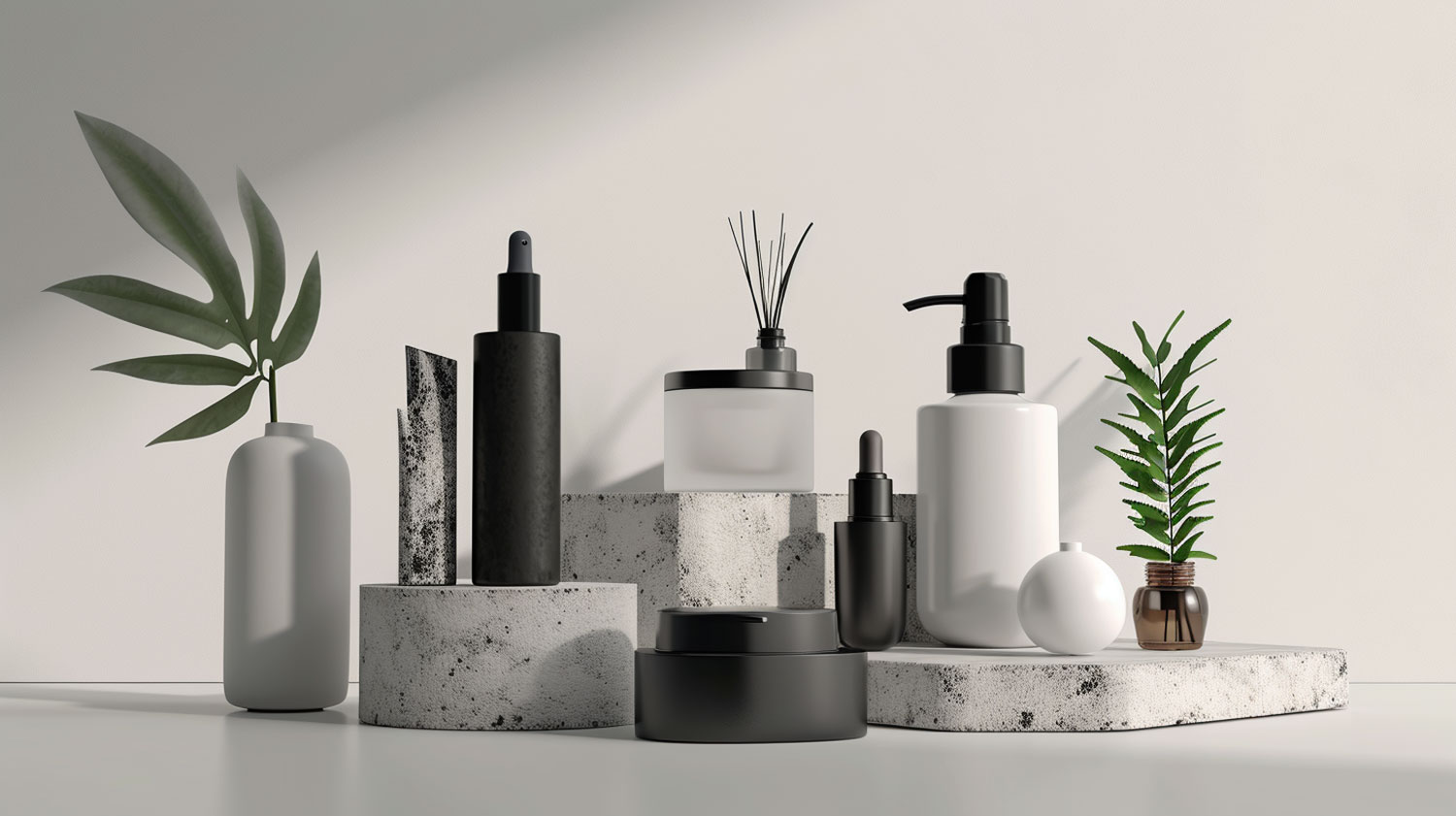
In this section, we will delve into the significance of high-quality product imagery in the context of e-commerce. We will explore how visually appealing product photos can attract customers and contribute to the overall success of your online store. The visual appeal of your products plays a crucial role in capturing the attention of potential buyers and compelling them to make a purchase.
“High-quality product imagery can be the difference between a customer scrolling past your product and adding it to their cart.” – Emma Simmons, E-commerce Expert
When consumers visit an e-commerce website, they rely heavily on product images to understand what they are buying. Clear, detailed, and eye-catching product photos create a positive first impression, establishing your brand’s credibility and professionalism. By showcasing your products in their best light, you can instantly build consumer trust and confidence in your offerings.
Consider the following scenario: You are scrolling through an online store looking for a new pair of running shoes. Two websites catch your eye—one with poorly lit, pixelated images, and another with high-resolution, professionally captured product photos. Which one do you think will make you more likely to trust the quality of the shoes and proceed with a purchase? The answer is clear: high-quality product imagery greatly influences consumer trust and purchase decisions.
In addition to attracting customers and building trust, high-quality product images have a direct impact on conversions. According to a survey conducted by Adobe, 67% of online shoppers rated image quality as “very important” when making a purchase decision. By providing customers with clear, well-presented product photos, you can increase their confidence in your brand, leading to higher conversion rates and sales.
Let’s take a moment to showcase some real-world examples of the impact high-quality product images have had on e-commerce businesses:
|
Company |
Result |
|
Company A |
Implemented high-quality product images and experienced a 40% increase in online sales within three months. |
|
Company B |
Invested in professional product photography: saw a 20% reduction in product returns due to customers having a better understanding of their purchases. |
|
Company C |
Revamped product imagery to align with their brand image: achieved a 15% increase in average order value as customers felt more confident in purchasing additional items. |
These case studies serve as a testament to the power of high-quality product imagery and its impact on e-commerce success. Investing in professional product photography is a strategic move that can elevate your online store, increase consumer trust, and ultimately drive sales.
Building a DIY Product Photography Studio on a Budget
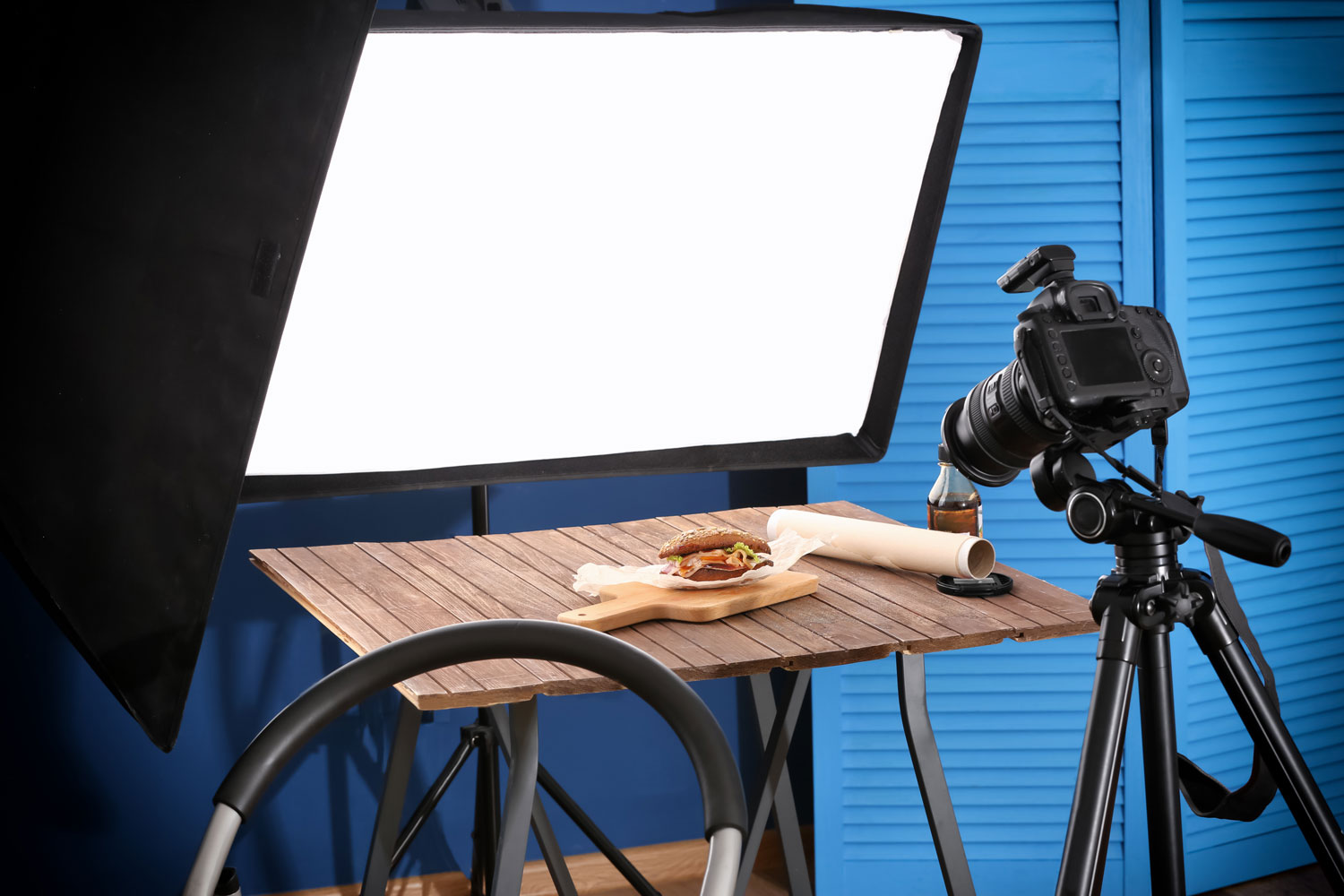
In this section, we will guide you through the process of building a DIY product photography studio on a budget. Creating high-quality product images for your Shopify store doesn’t have to break the bank. With a few essential tools and some creativity, you can achieve professional-looking results.
Finding the Perfect Room with Natural Light
When setting up your DIY photography studio, finding a room with ample natural light is essential. Natural light provides a soft and flattering illumination for your products. Look for a room with large windows that allow plenty of sunlight to enter. Position your table and products near the windows to take advantage of this beautiful light source.
Choosing the Right Camera for Your Shopify Photography
Investing in a good camera is crucial for capturing high-quality product images. Look for a camera that offers manual controls, allowing you to adjust the settings to your specific needs. A DSLR or mirrorless camera with interchangeable lenses is a great choice for product photography. Consider factors such as resolution, sensor size, and lens compatibility when making your decision.
Setting Up Your White Background and Table
A clean, white background creates a professional and polished look for your product photos. Use a large white backdrop or paper roll to create your background. Place a table in front of the backdrop to display your products. Make sure your table is sturdy and large enough to accommodate your products comfortably.
How to Use Reflectors and Bounce Cards Effectively
Reflectors and bounce cards are inexpensive yet highly effective tools for manipulating light in your DIY product photography studio. Reflectors can be used to bounce natural light onto your subjects, reducing shadows and adding fill light. Bounce cards, on the other hand, are small white cards that can be positioned strategically to redirect light and eliminate harsh shadows. Experiment with different angles and positions to achieve the desired lighting effect.
By following these tips and techniques, you can create a budget-friendly DIY product photography studio in your own home. Utilize natural light, choose the right camera, set up a white background, and make use of reflectors and bounce cards to capture stunning product images for your Shopify store.
—
Skip The DIY Hassle – Let Us Handle Your Photography
While DIY photography can work for some sellers, many Shopify store owners find that investing in professional photography saves time and delivers superior results. Our [Starter Pack](/packages/starter-pack/) (7 premium images for £199) is specifically designed for Shopify sellers looking to launch or refresh their product listings.
What’s included:
– 1 Hero image
– 4 Product images (white background)
– 1 Detailed close-up photo
– 1 Premium infographic
Explore Our Shopify Photography Packages
—
Capturing the Best Shots: Product Photography Best Practices

In this section, we will share product photography best practices to help you capture the best shots for your Shopify store. By implementing these techniques, you can enhance the visual appeal of your product images and attract more customers.
Optimising Camera Settings for Crystal Clear Images
The right camera settings play a crucial role in achieving crystal clear product images. Here are the key settings to consider:
• Aperture: Use a smaller aperture (higher f-number) to increase the depth of field and ensure all product details are in focus.
• Shutter Speed: Use a faster shutter speed to avoid blur and capture sharp images, especially when shooting handheld.
• ISO: Keep the ISO as low as possible to maintain image quality and minimize noise.
Properly Positioning Your Products for Consistency
Consistency in product positioning is essential to create a cohesive and professional look for your Shopify store. Follow these tips:
• Establish a standard product placement template to maintain uniformity across all images.
• Use a tripod to ensure consistent framing and avoid variations in angle and perspective.
• Align products with gridlines or guides on your camera’s viewfinder or LCD screen for precise positioning.
Mastering the Use of Shadows and Highlights
Shadows and highlights can add depth and dimension to your product photos. Follow these techniques to master their usage:
• Control ambient lighting to create desired shadows and highlights on your products.
• Use diffusers or reflectors to soften harsh shadows or redirect light to highlight specific areas.
• Experiment with different lighting angles to achieve the desired effect and mood.
| Camera Settings | Product Positioning | Shadows and Highlights |
| Aperture: Smaller aperture (higher f-number) | Establish a standard product placement template | Control ambient lighting |
| Shutter Speed: Faster shutter speed | Use a tripod for consistent framing | Use diffusers or reflectors |
| ISO: Keep it as low as possible | Align products with gridlines or guides | Experiment with different lighting angles |
Shopify Product Photography: Elevating Your Online Presence

In this section, we will discuss how professional product photography can elevate your online presence on the Shopify platform. We will explore the visual impact of high-quality product images and how they can enhance the overall design and aesthetic of your online store. By investing in top-notch product photography, you can create a visually engaging shopping experience that captures the attention of potential customers and builds trust in your brand.
With Shopify’s user-friendly interface and built-in features, you have the tools to showcase your product photos effectively. The platform allows you to customize your online store’s theme and layout to align with your brand identity. By utilizing visually stunning product images, you can create a cohesive and professional look for your store, ensuring a memorable first impression for your customers.
Remember, having high-quality product photos not only enhances the visual appeal of your online store but also conveys the value and quality of your products. When customers can see the details and features of your products clearly, they are more likely to make a purchase and have a positive shopping experience. Effective product photography can also reduce the number of product returns, as customers have a better understanding of what they are purchasing.
So, whether you choose to hire a professional photographer or learn the art of product photography yourself, investing in Shopify product photography is essential for elevating your online presence and increasing your sales potential. Let your high-quality product images speak for themselves and create a lasting impact on your customers.
“The potential to create a strong online presence through high-quality product photography on the Shopify platform is immense. It’s an opportunity to showcase your products in the best possible light and captivate your audience with visually stunning imagery.” – Shopify Store Owner
—
Our Shopify Photography Services
At Products Photography UK, we offer comprehensive photography services tailored for Shopify stores:
– White Background Product Shots – Amazon and Shopify ready
– Lifestyle Images – Show products in real-world settings
– Infographics – Highlight key features (£65 each)
– Model Shoots – For apparel and accessories
– 360° Product Videos – Give customers the complete view
We work with Shopify sellers of all sizes – from solo entrepreneurs launching their first product to established stores with hundreds of SKUs. All photography completed within 7-14 days.
Book Your Shopify Product Shoot | See Our Work](/portfolio
—
The Benefits of Shopify Product Photography
| Benefits | Impact |
| Enhanced Visual Appeal | Attracts customers and boosts engagement |
| Increased Conversion Rates | Builds trust and confidence, leading to more sales |
| Reduced Product Returns | Allows customers to make informed buying decisions |
| Consistent Brand Identity | Creates a professional and cohesive look for your store |
Enhancing Shopify Product Photos with Post-Processing Techniques

In this section, we will explore the post-processing techniques that can take your Shopify product photos to the next level. By employing these techniques, you can enhance the visual appeal and professionalism of your images, attracting more customers and making a lasting impression.
Basic Photo Editing Steps for a Professional Finish
When it comes to achieving a professional finish for your Shopify product photos, basic photo editing steps play a crucial role. By making adjustments to brightness, contrast, and color balance, you can bring out the true potential of your images. Start by assessing the overall exposure of your photos and making any necessary tweaks to ensure optimal light. Next, fine-tune the contrast to enhance details and create more depth. Finally, adjust the color balance to ensure accurate and vibrant hues that truly represent your products. By following these basic editing steps, you can achieve a polished look that captivates your audience.
Shopify Image Optimization for Faster Load Times
Fast load times are essential for a smooth and seamless shopping experience on your Shopify store. To optimize your product photos for faster load times, consider reducing their file sizes without compromising on quality. This can be achieved by compressing the images using specialized tools and plugins. Additionally, you can leverage Shopify’s built-in image optimization features that automatically optimize your images for web display. By reducing the file sizes of your product photos, you can ensure speedy page loading times, enhancing user experience and potentially improving your search engine rankings.
Making Backgrounds Transparent for a Cleaner Look
Transparent backgrounds can give your product photos a clean and professional look, creating a seamless integration with your website’s design. To achieve this effect, you can utilize photo editing software to remove the background from your product images. This technique is particularly useful when you want to showcase your products on different backgrounds or use them in collages. By making backgrounds transparent, you can eliminate distractions and allow the focus to be solely on your products, improving their visual impact and increasing the likelihood of conversions.
Need help with post-production? Our image editing services
include background removal, color correction, and professional retouching
for all your Shopify product photos.
| Benefits of Post-Processing Techniques: |
| 1. Enhance visual appeal |
| 2. Attract more customers |
| 3. Create a lasting impression |
| 4. Achieve a professional finish |
| 5. Ensure fast load times |
| 6. Optimize images for web display |
| 7. Create clean and seamless integrations |
| 8. Eliminate distractions for better product focus |
| 9. Improve visual impact for increased conversions |
Utilising Smartphone Cameras for Quality Product Shots
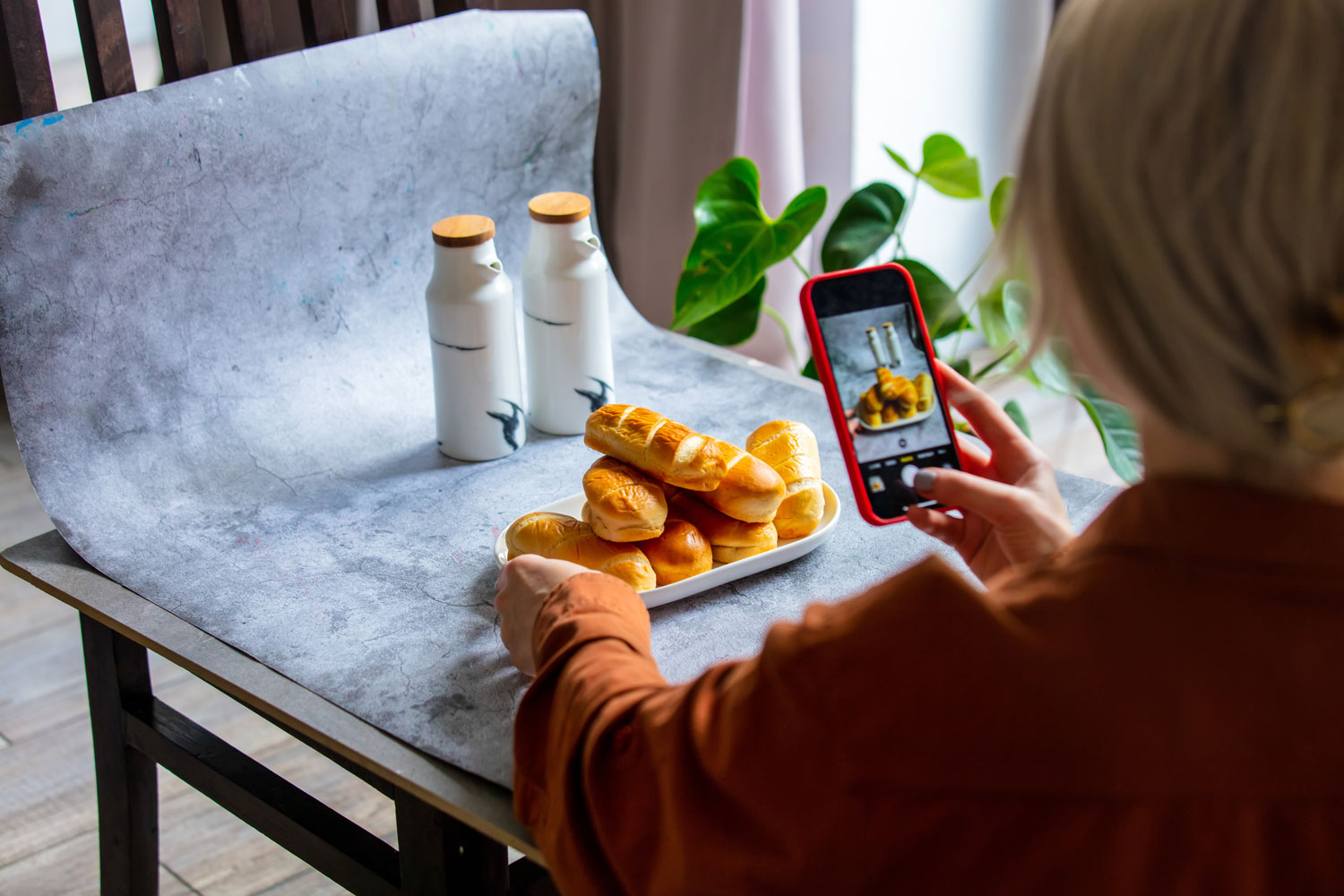
In today’s digital age, smartphone cameras have become increasingly powerful and advanced, offering a convenient and cost-effective solution for capturing high-quality product shots. With the right techniques and knowledge, you can utilize your smartphone camera to achieve professional-looking images that showcase your products in the best possible light.
The advancements in smartphone camera technology have made it possible for these devices to rival traditional cameras in terms of image quality and features. Many smartphone cameras now boast high megapixel counts, advanced autofocus systems, and sophisticated image processing capabilities. This means that you can achieve sharp, detailed, and vibrant product images using just your smartphone.
When utilizing your smartphone camera for product photography, there are a few important tips and techniques to keep in mind:
1. Take advantage of natural light: Natural light can be a great tool for capturing high-quality product shots. Look for well-lit areas or set up your product shoot near a large window to maximize natural light.
2. Pay attention to composition: Composition plays a crucial role in creating visually appealing product images. Experiment with different angles, perspectives, and framing techniques to highlight the key features and details of your products.
3. Use additional accessories: While smartphone cameras offer impressive capabilities on their own, you can enhance your product shots further by using additional accessories such as tripod mounts, smartphone lenses, and external lighting.
4. Edit and enhance your images: After capturing your product shots, use photo editing apps or software to fine-tune your images. Adjust brightness, contrast, and colour balance to ensure your product photos are visually appealing and accurately represent your products.
By following these tips and utilizing the capabilities of your smartphone camera, you can capture professional-looking product shots that will enhance the visual appeal of your Shopify store.
Shopify Photography Tips for Creating Visual Content That Sells

When it comes to selling products online, the visual content you use on your Shopify store can make a significant impact on your customers’ purchasing decisions. To help you create compelling visual content that sells, we’ve compiled some valuable Shopify photography tips.
1. Choose the right props and backgrounds: Select props and backgrounds that complement your products and enhance their visual appeal. Consider using props that evoke a desired lifestyle or emotion to make a connection with your target audience.
2. Utilise models or lifestyle shots: When appropriate, incorporate models or lifestyle shots to showcase your products in action. This can help potential customers visualize themselves using your products and create a sense of desire or aspiration.
3. Incorporate storytelling elements: Tell a story with your product photos by incorporating contextual elements that highlight the features, benefits, and value of your products. This narrative approach can captivate your audience and evoke emotional responses, ultimately driving sales.
By implementing these Shopify photography tips, you can effectively showcase your products and engage potential customers on your Shopify store. Remember, the visual content you create has the power to inspire, persuade, and ultimately sell your products.
The Role of Lighting in Professional Online Store Photography

Lighting plays a crucial role in creating captivating and visually stunning product images for your online store. In this section, we will explore the significance of lighting in professional online store photography and provide tips and tricks to enhance the lighting in your product photos.
Natural vs Artificial Lighting: Which is Best for Your Store?
When it comes to lighting in photography, you have the option of using natural or artificial light sources. Natural lighting, such as sunlight, can create a soft and inviting ambience in your product photos. It is especially ideal for showcasing products that are meant to be used outdoors or in natural settings. On the other hand, artificial lighting, such as studio lights, allows for more control and consistency in your lighting setup. This is particularly beneficial when you need to create a specific mood or highlight specific product features.
The choice between natural and artificial lighting ultimately depends on the type of image that you’re creating, the desired aesthetic and the available resources. Experimenting with both types of lighting can help you determine which works best for your online store.
Tools and Tricks to Enhance Lighting Without a Studio
Not having a dedicated studio space should not limit your ability to achieve professional lighting in your product photos. There are several tools and tricks you can use to enhance lighting without a studio setup.
• Utilise reflectors: Reflectors are affordable tools that can help redirect and enhance natural or artificial light. They bounce light back onto your subject, reducing harsh shadows and creating a more balanced lighting setup.
• Diffuse harsh light: If you are working with natural light that is too bright or harsh, you can use diffusers to create a softer and more flattering light. These can be in the form of translucent umbrellas or paper materials that scatter the light, e.g. baking paper, and create a more diffused effect.
• Position your products strategically: Experimenting with the placement of your products in relation to the light source can significantly impact the lighting in your photos. Move your products closer or farther away from the light source to achieve the desired lighting effect.
Managing Shadows and Reflections for Superior Product Images
Shadows and reflections can both enhance and detract from the overall quality of your product images. Learning how to manage and control them is essential in achieving superior results.
• Diffuse harsh shadows: Harsh shadows can create unflattering and distracting elements in your product photos. Use diffusers, reflectors, or additional light sources to soften and diffuse shadows, creating a more balanced lighting setup.
• Embrace intentional reflections: Reflections can add depth and visual interest to your product photos. Experiment with incorporating reflective surfaces or using reflective props to create intentional reflections that enhance the overall composition.
• Minimise unwanted reflections: Unwanted reflections, such as glare or hotspot reflections, can diminish the clarity and detail of your product images. To minimise these reflections, adjust the angle of your light source or use anti-reflective coatings on your products.
By effectively managing shadows and reflections, you can create superior product images that showcase your products in the best possible light.
The Impact of Professional Product Images on Consumer Trust

In the world of e-commerce, first impressions matter. When potential customers visit your online store, they rely heavily on visual cues to determine the quality and trustworthiness of your products. This is why professional product images play a crucial role in building consumer trust and ultimately driving sales.
High-quality product photos have a profound impact on the perception of your brand. When shoppers see crisp, well-lit images that showcase your products in detail, they feel reassured about the authenticity and professionalism of your business. Professional product images create a visual appeal that captures attention and instills confidence in your potential customers.
“The quality of your product images can make or break a sale. Consumers feel more confident when they can clearly see what they’re buying.”
The statistics speak for themselves. According to a survey conducted by Ecommerce Platforms, 67% of consumers reported that the quality of product images is “very important” when making a purchase decision. This is why businesses invest in professional product photography
– the return on investment through increased conversions and reduced returns far exceeds the initial cost.
Moreover, 75% of online shoppers stated that they considered product photos to be “very influential” in their purchasing process.
When customers trust your brand, they are more likely to make a purchase and become repeat buyers. Investing in professional product images is a critical step in building that trust. By providing visually stunning images that accurately represent your products, you are demonstrating your commitment to quality and professionalism.
Ultimately, professional product images contribute to a positive overall shopping experience and enhance the perception of your brand. They not only attract customers but also keep them engaged, increase conversions, and build long-term relationships.
Optimising Your Photography Workflow for Your Shopify Store

Streamlining Your Photo Shoot with the Right Setup
When it comes to optimizing your photography workflow for your Shopify store, streamlining your photo shoot is crucial. By setting up the right environment and equipment, you can ensure a smooth and efficient process.
First, consider organizing your products and equipment in a way that allows easy access and minimizes downtime during the shoot. This could involve creating a dedicated workspace where everything is within reach, such as props, backgrounds, and lighting equipment. By keeping things well-organized, you can save precious time and maintain focus on capturing the best product shots.
Additionally, think about the camera settings and angles you’ll be using frequently. Make a checklist of the specific settings that work best for your products and save them as presets for quick access. This way, you can eliminate the need to adjust settings for every shot and shoot more efficiently.
Creating a Consistent Look Across All Product Pages
Creating a consistent look across all product pages is essential for your Shopify store. It helps establish a cohesive visual identity that enhances your brand and provides a professional experience for your customers.
Start by defining the visual style you want to achieve. Consider factors such as lighting, composition, and props that align with your brand aesthetic. Once you define your visual style, stick to it throughout your product photography. This includes consistently using the same background, props, and lighting setups to maintain a cohesive look across all product pages.
Remember to pay attention to color consistency as well. Use color correction techniques during post-production to ensure the colors of your products appear accurate and consistent across all images.
Systematising Post-Production to Save Time
To optimize your photography workflow, it’s crucial to systematize post-production tasks in order to save time and maintain consistency in your final product images.
Consider creating a post-production workflow that includes a well-defined process for importing, organizing, and editing your images. Use software tools like Adobe Lightroom or Capture One to streamline your editing process and apply batch edits when possible. This allows you to quickly apply adjustments such as exposure, contrast, and color correction to multiple images at once.
Another way to save time is by creating presets or templates for common editing tasks. This includes saving and reusing specific settings for white balance, sharpening, and noise reduction. Presets and templates can massively speed up your editing process and ensure a consistent look for your Shopify product images.
By streamlining your photo shoot, creating a consistent look, and systematizing post-production tasks, you’ll be able to optimize your photography workflow for your Shopify store. This will save you time, improve the overall quality of your product images, and contribute to the success of your online business.
Conclusion

In conclusion, professional product photography is a crucial element in transforming your Shopify store. Throughout this article, we’ve highlighted the significance of high-quality product imagery in e-commerce and how it contributes to the visual appeal of your online business. By implementing the tips and techniques provided, you can create a powerful online presence that attracts customers, builds trust, and ultimately drives sales.
Remember, building a DIY product photography studio on a budget allows you to capture stunning product shots without breaking the bank. Utilize natural light, choose the right camera, and set up a white background and table to create a professional studio environment. By following product photography best practices, such as optimizing camera settings and properly positioning your products, you can ensure consistency and create visually appealing images that stand out.
Enhancing your Shopify product photos through post-processing techniques is another key aspect to consider. Basic photo editing steps, image optimization, and making backgrounds transparent all play a role in achieving a professional finish. Additionally, don’t underestimate the capabilities of smartphone cameras in capturing quality product shots. Embracing Shopify photography tips and utilizing smartphone technology can help you create compelling visual content that sells.
Optimizing your photography workflow for your Shopify store is vital for efficiency and maintaining a consistent look across all product pages. Streamline your photo shoot setup, create a visual identity for your brand, and systematize post-production tasks to save time and maintain a smooth workflow. By implementing these strategies, you can elevate your online presence and establish a strong brand image.
FAQ

How much does professional Shopify product photography cost in the UK?
Our packages start at £199 for 7 premium images ([Starter Pack](/packages/starter-pack/)),
perfect for small Shopify stores or new product launches. For larger inventories,
we offer bulk discounts and custom packages tailored to your specific needs.
Prices include professional photography, editing, and delivery of web-ready images.
Get a detailed quote based on your requirements.
—
How quickly can you photograph my Shopify products?
Our standard turnaround is 7-14 working days from receiving your products at our
Walsall studio. This includes professional photography, editing, and delivery of
all final images. Need it faster? Contact us about expedited service for urgent
product launches or seasonal campaigns.
—
Do you offer bulk discounts for large Shopify inventories?
Yes! For orders of 50+ products, we offer significant volume discounts. The more
products you need photographed, the better the per-image rate. We regularly work
with Shopify sellers who have hundreds of SKUs and can create custom packages that
fit your budget and timeline. Contact us for bulk pricing.
—
Can you photograph products at my location in the West Midlands?
Absolutely. We offer on-site photography throughout the West Midlands and across
the UK. We can bring our portable studio equipment to your warehouse, office, or
retail location. This is particularly useful for large items, heavy products,
fragile goods, or when you have a high volume of products that would be impractical
to ship. Enquire about on-site photography
—
Do your images work for Amazon FBA as well as Shopify?
Yes! All our product images meet Amazon’s technical requirements (pure white
background, correct dimensions, RGB color space, etc.) while also looking stunning
on Shopify and other e-commerce platforms. Many of our clients sell on multiple
channels including Amazon FBA, eBay, and their own Shopify stores. We can provide
images in different formats optimized for each platform.
—
FAQ
What is the importance of high-quality product imagery in e-commerce?
High-quality product imagery is crucial in e-commerce as it attracts customers and contributes to the overall success of your online store. It helps build consumer trust and increases conversions by showcasing your products in the best possible light. At Products Photography UK, we specialise in creating high-quality
product images that help Shopify sellers stand out in crowded marketplaces. Our clients typically see improved conversion rates and reduced product returns after implementing professional photography.
How can I build a DIY product photography studio on a budget?
To build a DIY product photography studio on a budget, you can start by finding a room with natural light and utilizing it effectively in your photography. Choose the right camera for your Shopify photography needs, set up a white background and table, and use reflectors and bounce cards to enhance lighting and capture high-quality product images. However, many Shopify sellers find that the time investment and learning curve of DIY photography isn’t worth it when professional services start at just £199 for 7 images. Consider whether your time is better spent on other aspects of your business.
What are some product photography best practices for capturing the best shots?
Some product photography best practices include optimizing camera settings for crystal clear images, properly positioning your products for consistency, and mastering the use of shadows and highlights to add dimension. Following these practices will help you capture the best shots for your Shopify store.
How can professional product photography elevate my online presence on Shopify?
Professional product photography can enhance the design and aesthetic of your online store, attracting customers and boosting sales. By using high-quality product images and Shopify’s built-in features and tools, you can effectively showcase your products and create a visually appealing online presence.
What post-processing techniques can I use to enhance my Shopify product photos?
You can enhance your Shopify product photos by following post-processing techniques such as adjusting brightness, contrast, and color balance. Shopify image optimisation is important for faster load times, and you can also make backgrounds transparent for a cleaner look. All our photography packages include professional post-production, so you don’t need to worry about editing software or techniques. We handle
everything from color correction to background removal.
Can smartphone cameras be used to capture quality product shots?
Yes, smartphone cameras can be used to capture quality product shots. With advancements in smartphone camera technology, they can rival traditional cameras for product photography. By maximizing the capabilities of smartphone cameras, you can achieve professional-looking product images.
What are some Shopify photography tips for creating visual content that sells?
Some Shopify photography tips include choosing the right props and backgrounds, using models or lifestyle shots, and incorporating storytelling elements into your product photos. These tips will help you effectively showcase your products and engage potential customers on your Shopify store.
How does lighting play a role in professional online store photography?
Lighting is crucial in professional online store photography as it can significantly impact the overall quality of your product images. Natural and artificial lighting each have their advantages, and it’s important to choose the right lighting setup for your Shopify store. Managing shadows and reflections is also crucial to ensure superior product images.
How do professional product images impact consumer trust?
Professional product images instill confidence in potential customers and increase their trust in your brand. High-quality product photos create a positive perception of your products and brand, ultimately leading to improved consumer trust and increased sales.
How can I optimize my photography workflow for my Shopify store?
To optimize your photography workflow, you can streamline your photo shoot by creating the right setup, organizing your products and equipment for efficiency. Creating a consistent look across all product pages is crucial to maintain a cohesive visual identity. Additionally, systematizing post-production tasks can save you time and ensure a smooth workflow.
Let us help you step into the future of image creation.

Written by Dee Patel
Dee Patel is the founder of Products Photography UK, a West Midlands studio specialising in professional product photography and AI-enhanced imaging. With 16 years of commercial photography experience, Dee works with UK e-commerce brands, Amazon sellers, and B2B businesses across fashion, cosmetics, supplements, and more. Read Dee’s full profile →
Recent Comments